
Article
10 Powerful Prompts to Generate Ultra-Realistic AI Images
Stop getting weird AI images. Use these 10 proven prompts to generate ultra-realistic photos that look like they came from a professional camera.
Stop getting weird AI images. Use these 10 proven prompts to generate ultra-realistic photos that look like they came from a professional camera.
AI can make photos now. Type some words, get a picture. It's crazy.
But here's the thing - most people type random stuff and get weird results. Like, really weird. A person with three arms. A dog that looks like it's melting. You know what I'm talking about.
I've spent way too much time messing with these AI photo makers. Made thousands of images. Most sucked. But I figured out what works.
Here are 10 simple tricks. Copy them. Change them up. Make them yours.
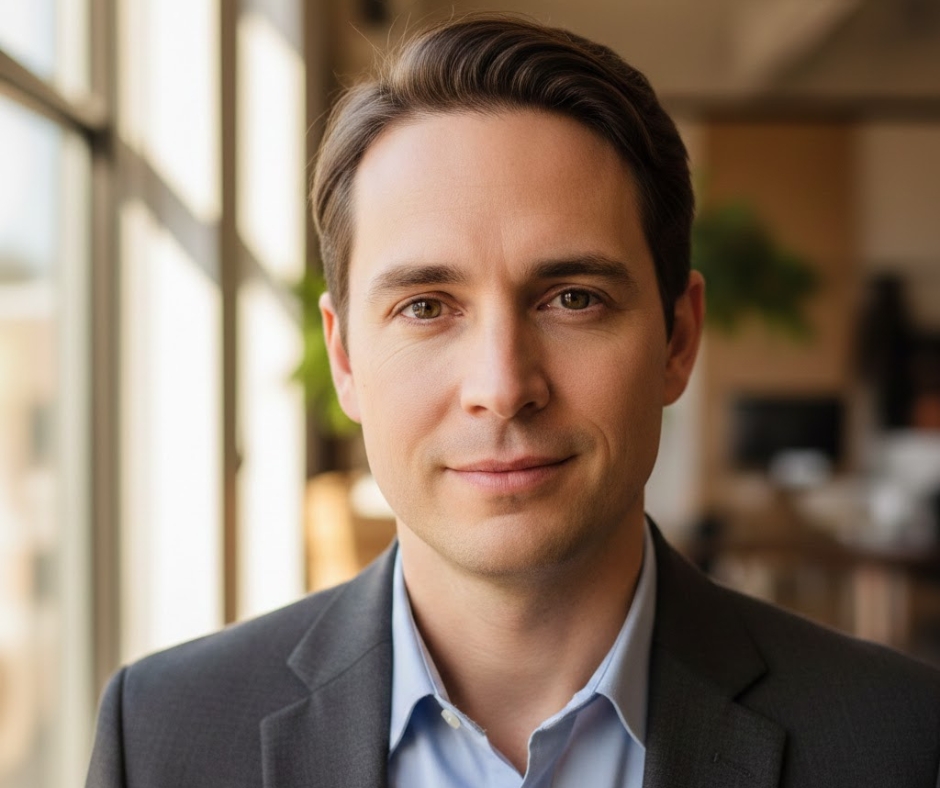
Prompt:
"Close-up photo of someone in their 30s, light coming from a window, blurry background, professional headshot photo, taken with a good camera"
Why it works:
When you mention a "good camera" and "blurry background," the AI thinks "oh, this should look professional." Window light always looks better than saying "good lighting" (which means nothing).
What you can do with it:
LinkedIn photos, making up characters for stories, profile pictures
How to change it:
Swap out the age. Add a job ("doctor" or "teacher"). Say where they are ("in an office" or "at a coffee shop").
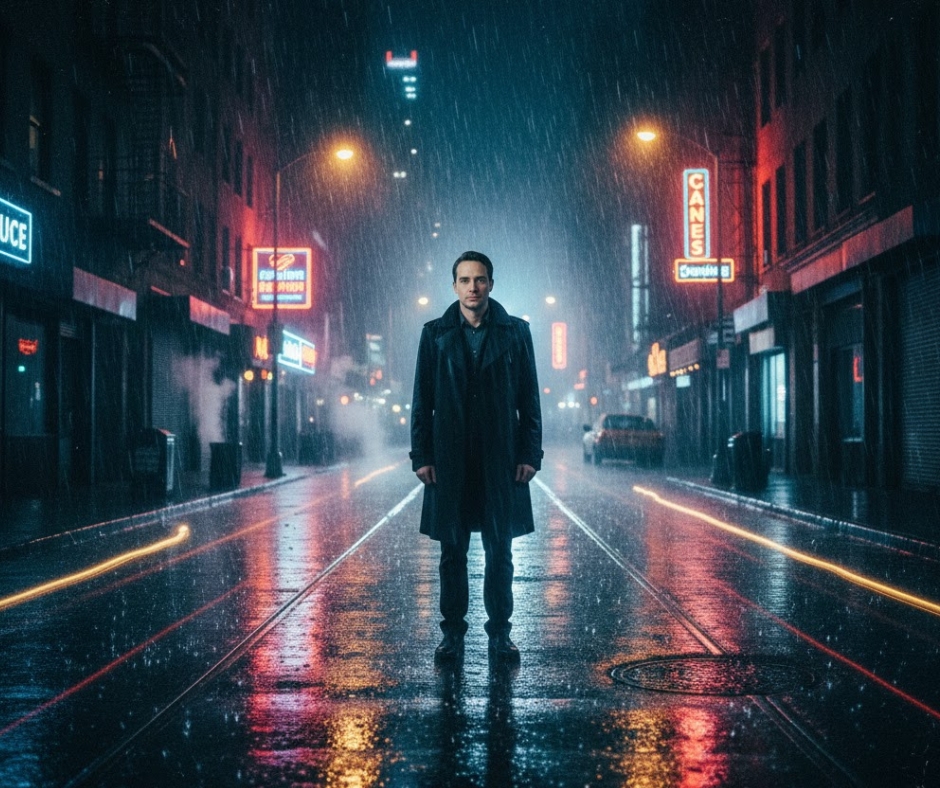
Prompt:
"Person standing on a rainy street at night, neon signs reflecting on wet ground, cinematic lighting, looks like a movie, film grain"
Why it works:
Saying "looks like a movie" makes the AI try to create that Hollywood feeling. The neon lights on wet pavement thing? AI does that really well. Looks cool every time.
What you can do with it:
Telling stories, album covers, dramatic pictures
How to change it:
Change the weather ("foggy morning" instead of "rainy night"). Different place ("desert road" or "busy market").
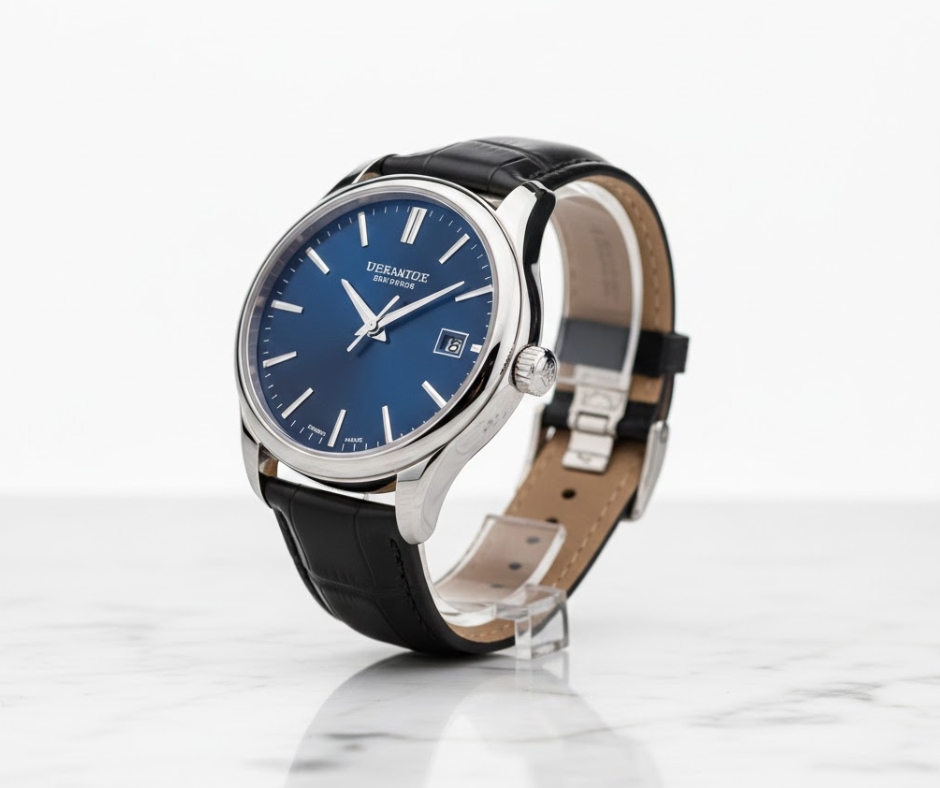
Prompt:
"Expensive watch sitting on marble, studio lighting, clean white background, super sharp focus, professional product photo"
Why it works:
"Studio lighting" and "professional product photo" tell the AI to make it look like those fancy catalog photos. The marble surface adds some texture but doesn't distract.
What you can do with it:
Fake product photos, online store pictures, portfolio stuff
How to change it:
Different products ("phone" or "perfume bottle"). Different surfaces ("wooden table" or "black cloth").
Prompt:
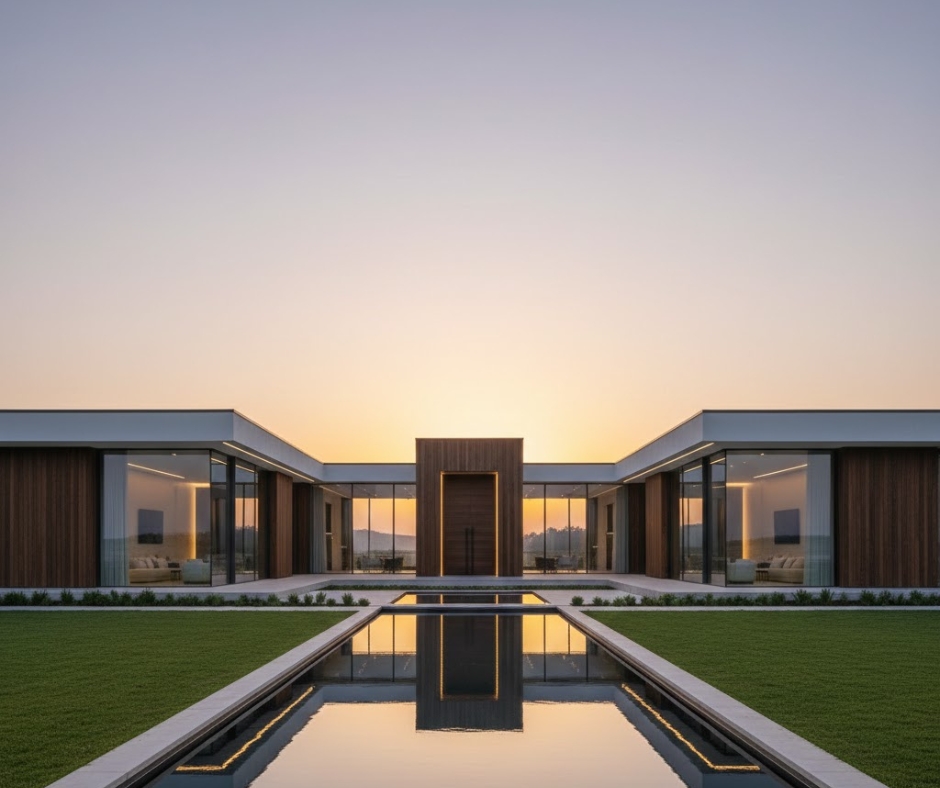
"Modern house exterior, sunset lighting, architectural photography, symmetrical, wide angle shot"
Why it works:
"Architectural photography" tells the AI to focus on clean lines. Sunset gives you that warm, pretty light. Wide angle is what people use for buildings.
What you can do with it:
Real estate stuff, architecture portfolios, design inspiration
How to change it:
Different styles ("old Victorian house" or "warehouse loft"). Different times ("twilight" or "cloudy afternoon").
Prompt:
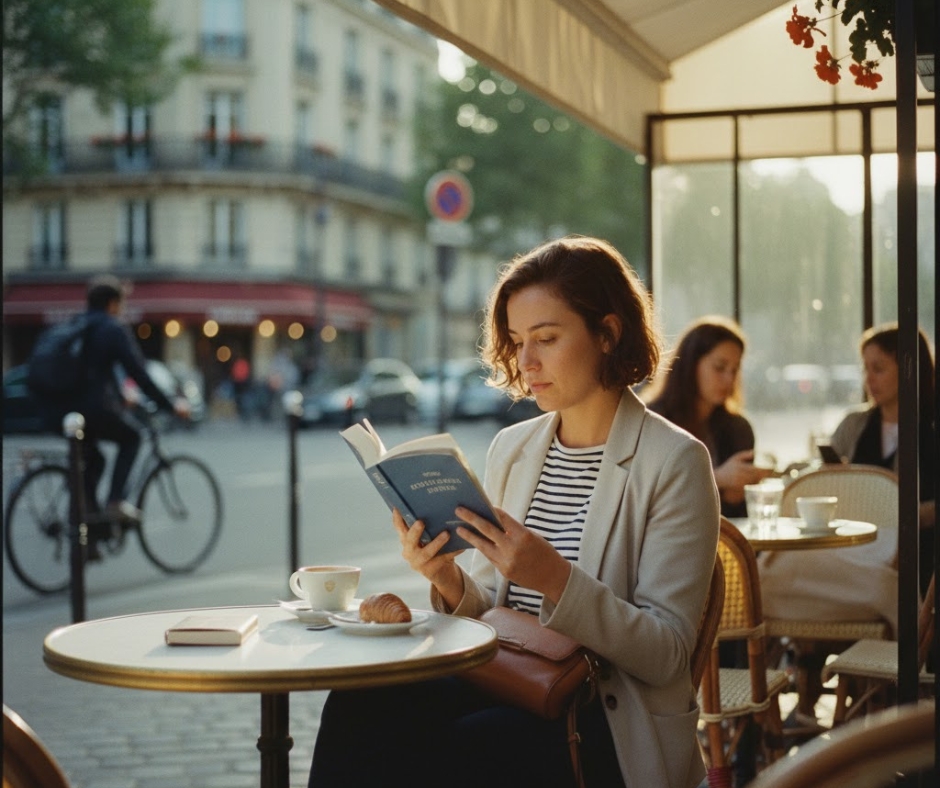
"Candid street photo of person reading at outdoor cafe, Paris, afternoon sun, documentary style, natural-looking"
Why it works:
"Candid" and "documentary style" make it look real, not posed. Saying "Paris" helps the AI understand what kind of vibe you want.
What you can do with it:
Travel photos, lifestyle shots, storytelling
How to change it:
Different cities ("Tokyo" or "New York"). Different actions ("drinking coffee" or "on their phone").
Prompt:
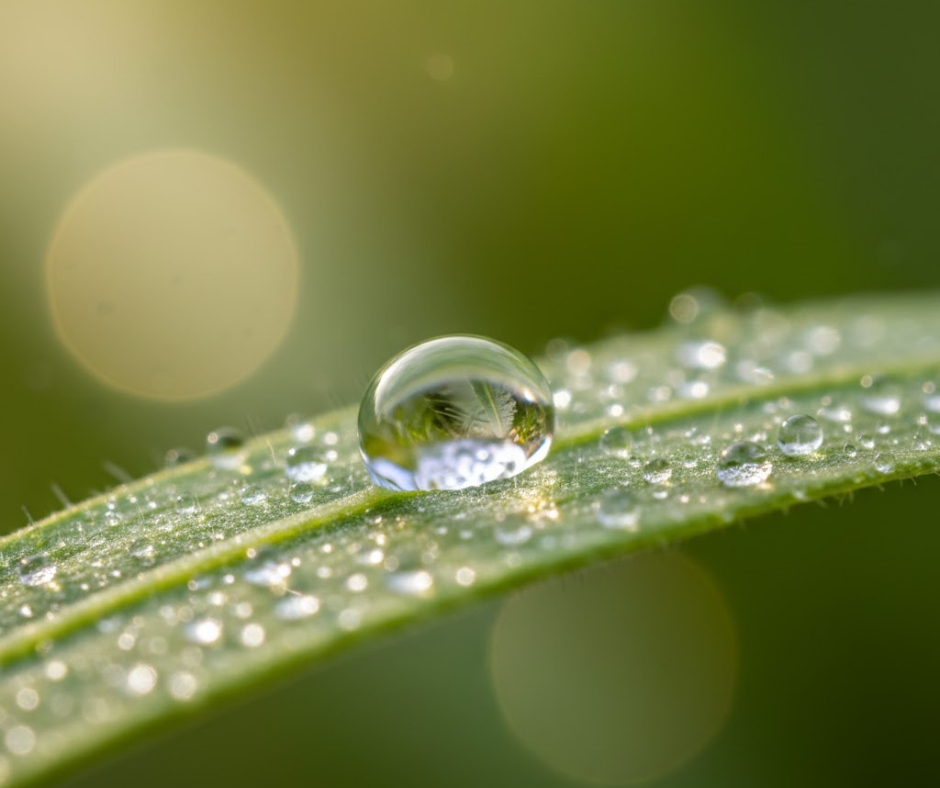
"Extreme close-up of water drop on a leaf, macro photography, morning dew, soft natural light, blurry background"
Why it works:
"Macro photography" and "extreme close-up" create that beautiful blurry background. Morning dew adds sparkle. AI is surprisingly good at this stuff.
What you can do with it:
Nature content, wallpapers, abstract art
How to change it:
Different subjects ("spider web" or "flower"). Different elements ("frost" instead of "dew").
Prompt:
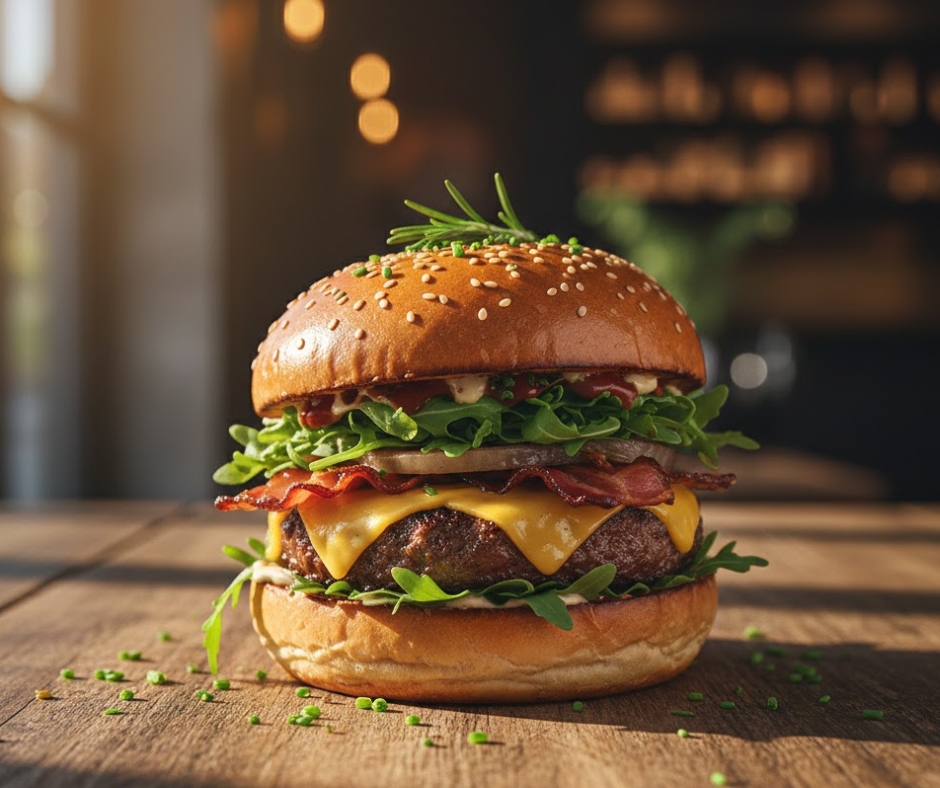
"Looking down at a fancy burger on a wooden table, window light from the side, food photography, blurry background, garnished with herbs"
Why it works:
"Looking down" and "window light from the side" are how food photographers actually shoot. The wooden table gives it texture.
What you can do with it:
Restaurant menus, food blogs, recipe sites
How to change it:
Different food ("sushi" or "pasta"). Different surfaces ("marble counter" or "white plate").
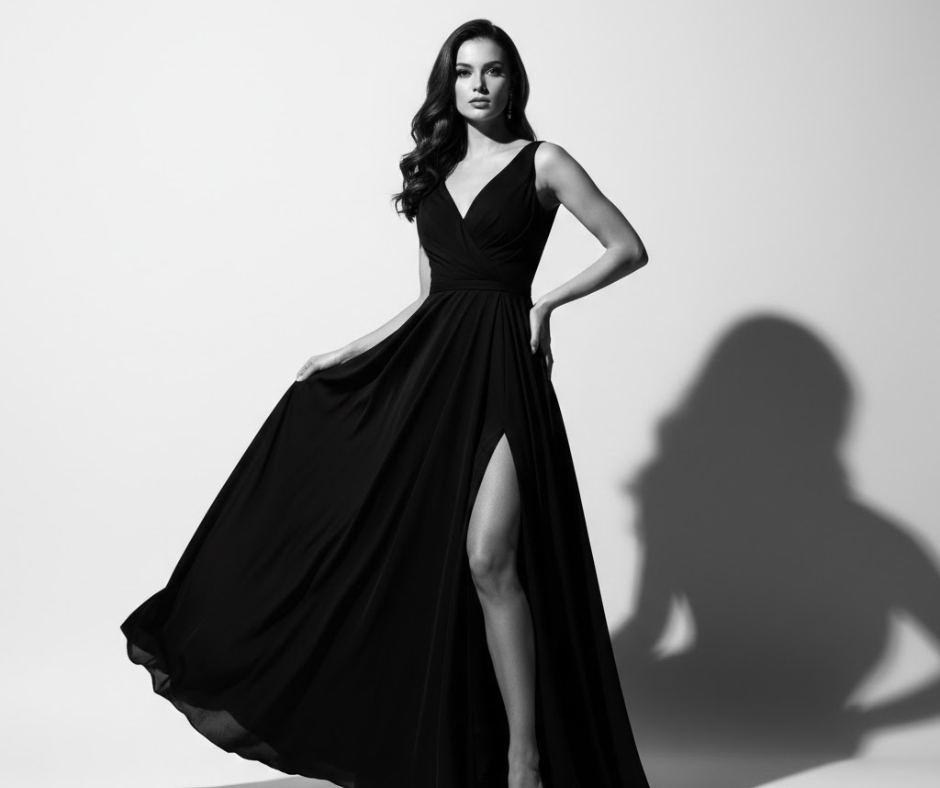
Prompt:
"Full body photo of model in elegant black dress, white studio background, dramatic side lighting, high contrast"
Why it works:
"Dramatic side lighting" and "high contrast" create that fashion magazine look.
What you can do with it:
Fashion portfolios, clothing mockups, editorial designs
How to change it:
Different clothes ("streetwear" or "suit"). Different backgrounds ("city alley" or "desert").
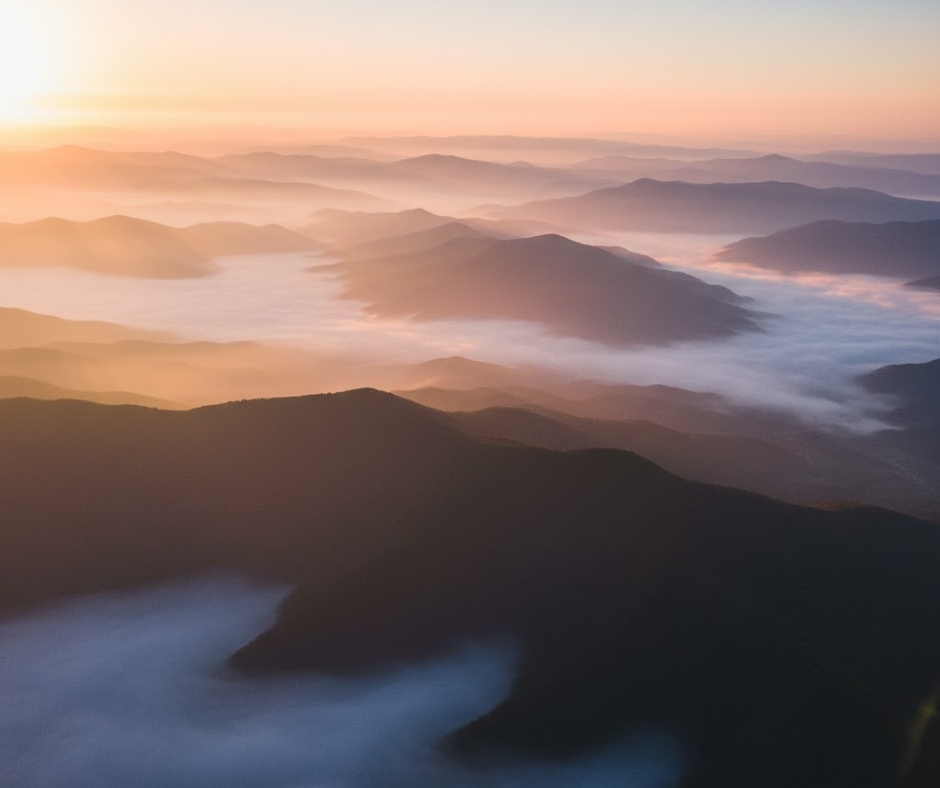
Prompt:
"Misty mountains at sunrise, layers of mountains fading into distance, aerial view, warm colors, shot from above"
Why it works:
"Layers of mountains fading into distance" creates depth. "Aerial view" gives you that drone perspective. Misty adds mood.
What you can do with it:
Wallpapers, travel content, nature photography
How to change it:
Different landscapes ("beach cliffs" or "forest valley"). Different weather ("stormy clouds" or "clear blue sky").
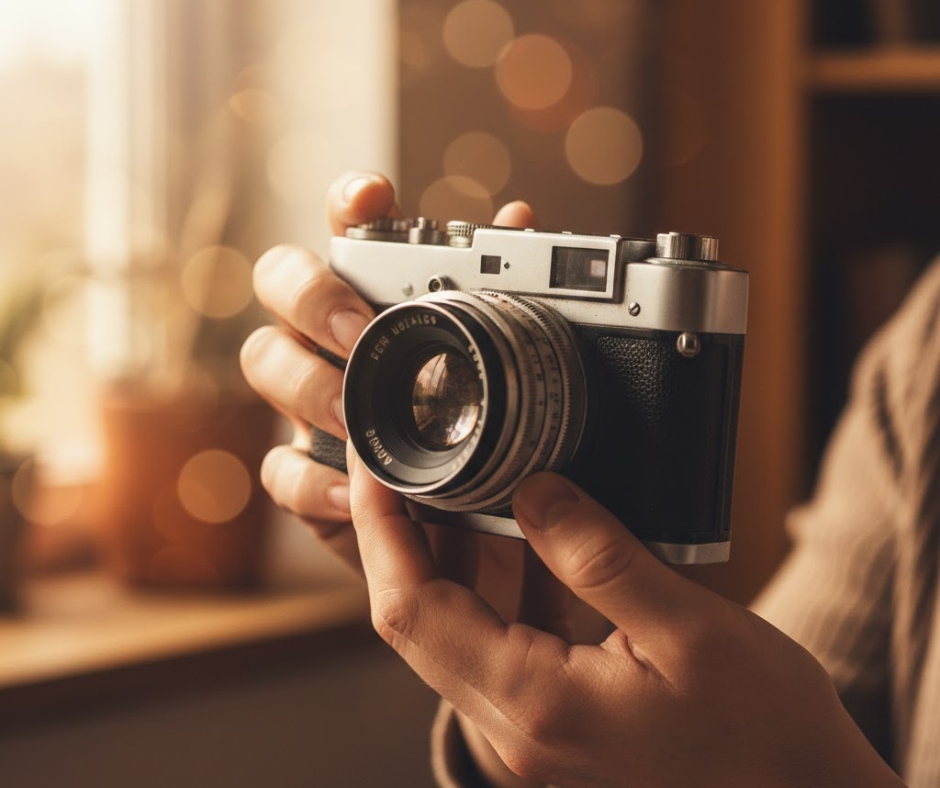
Prompt:
"Close-up of hands holding an old camera, soft natural light, blurry background, lifestyle photography, warm colors"
Why it works:
Hands add a human touch without showing faces. Old camera looks interesting. Warm colors feel inviting.
What you can do with it:
Lifestyle blogs, product shots, storytelling
How to change it:
Different objects ("coffee cup" or "book"). Different moods ("cool colors" instead of "warm colors").
Look at all these prompts. They all have:
Camera stuff - This tells the AI to make it look professional.
Lighting description - "Window light," "sunset," "studio lighting." Light makes photos good or bad.
Blurry or sharp - This controls what's clear and what's blurry.
Style words - "Cinematic," "documentary," "editorial." These tell the AI what look you want.
Don't just copy-paste like a robot. Use these as starting points.
Pick one that's close to what you want. Then change stuff. Switch the subject. Mess with the lighting. Try different things.
The more specific you are, the better it works. "A portrait" is vague. "Close-up photo of a 30-year-old person with window lighting" is specific.
Don't stuff everything into one prompt. "Cinematic dramatic beautiful amazing photorealistic stunning masterpiece" - this doesn't help. The AI gets confused. Pick 2-3 good words.
Don't mix styles. Don't say "cinematic studio portrait documentary lifestyle." Pick one and stick with it.
Don't skip the details. Camera stuff, lighting - these aren't extra. They're what makes it look real.
Midjourney is probably the best for realistic photos right now. DALL-E 3 is getting better. Stable Diffusion gives you more control but you gotta fiddle with it more.
These prompts work on all of them. You might need to tweak them a bit for each one, but the main idea stays the same.
Your first tries will probably suck. That's normal. Everyone's first AI images sucked.
Make a photo. If it looks bad, try again. Change the colors, change the words, change whatever.
Save the ones that work. Build a list. When you find something good, write it down so you don't forget.
AI is getting better every month. What works today might be old news in six months. But the basics - good light, specific details - those always help.
Once you make your AI image, you might need to do stuff with it:
Making YouTube thumbnails or social media posts? Check out our guide How to Make a YouTube Thumbnail That Gets Clicks - a lot of the same tricks about color and contrast work for AI prompts too.
These 10 prompts are where you start. Use them as templates. Mix and match. Figure out what works for you.
The best prompt is whatever gets you what you want. Sometimes that's two words. Sometimes it's a whole paragraph.
Just experiment. Play around. Make hundreds of images. You'll start seeing what works and what doesn't.
Remember - AI is just a tool. The creative ideas come from you. These prompts just help you tell the AI what's in your head.
Now go make some cool pictures.
More Tools:
More Articles: