Article
10 AI Prompts for Ultra-Realistic Portrait Photos
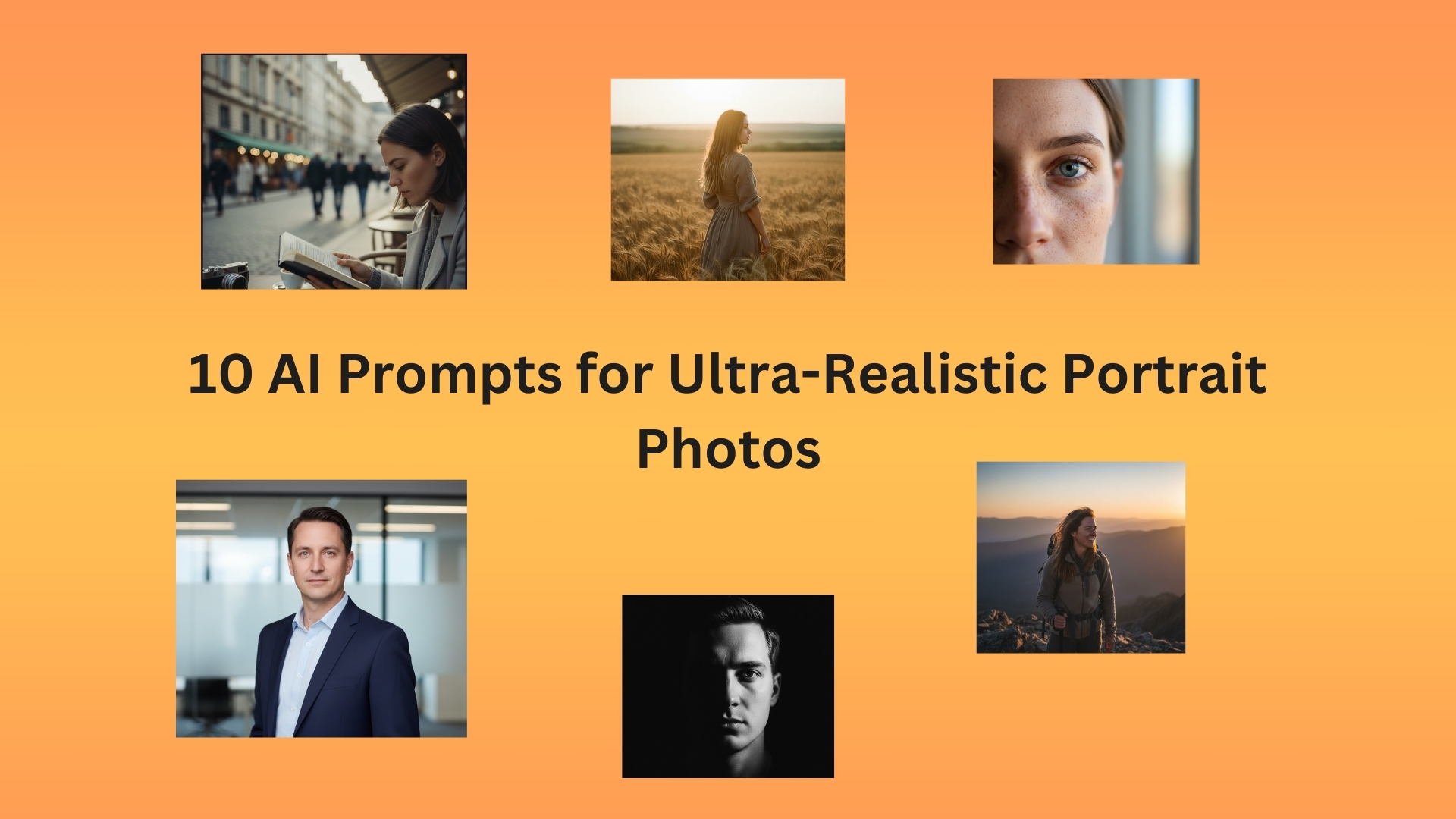
These 10 AI prompts create portraits so realistic, people will think they're from a professional camera. Copy them, tweak them, make faces that don't exist.
These 10 AI prompts create portraits so realistic, people will think they're from a professional camera. Copy them, tweak them, make faces that don't exist.
Okay, real talk. AI portrait photos are either insanely good or hilariously bad. There's no middle ground.
You either get something that looks like it came from a $5000 Leica camera, or you get someone with three eyeballs and fingers growing out of their forehead.
I've made thousands of AI portraits. Most looked like horror movies. But when they work? They're so realistic it's actually creepy.
Here's the thing - the difference between "nightmare fuel" and "professional headshot" is in how you write the prompt.
These 10 prompts create portraits that look real. Not kinda real. Actually real.
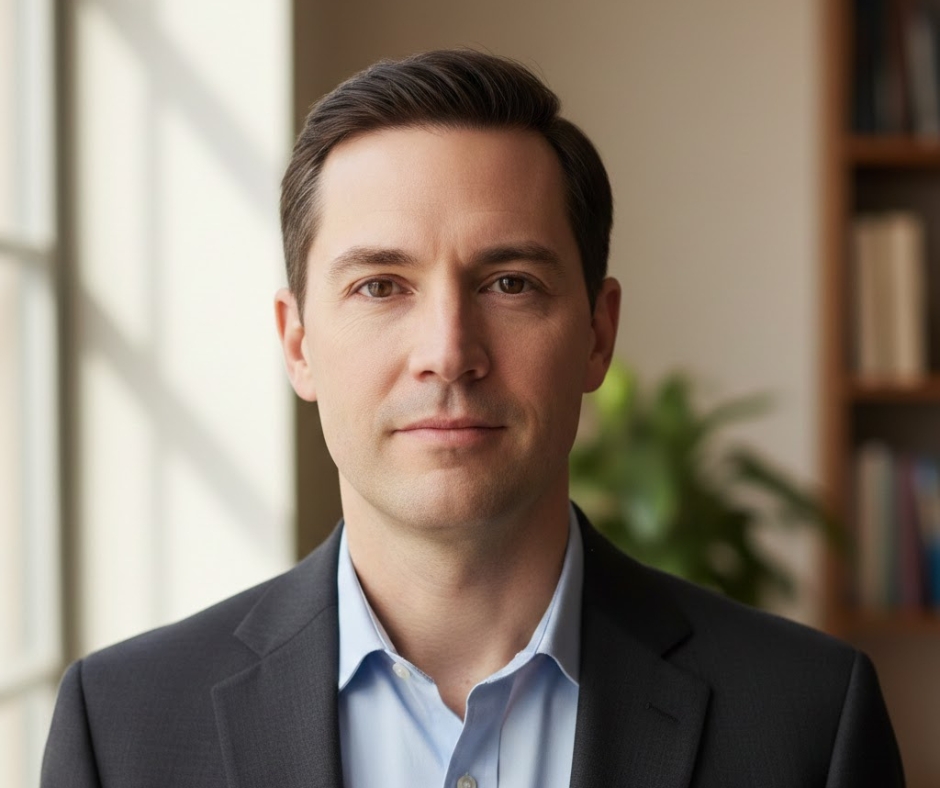
Prompt:
"Professional headshot photo of a person in their 30s, neutral expression, looking directly at camera, soft window lighting from the side, blurred background, shot with 85mm lens, shallow depth of field"
Why it works:
"85mm lens" and "shallow depth of field" are what professional portrait photographers actually use. Window lighting looks natural. Neutral expression avoids the AI smile weirdness.
Variables to change:
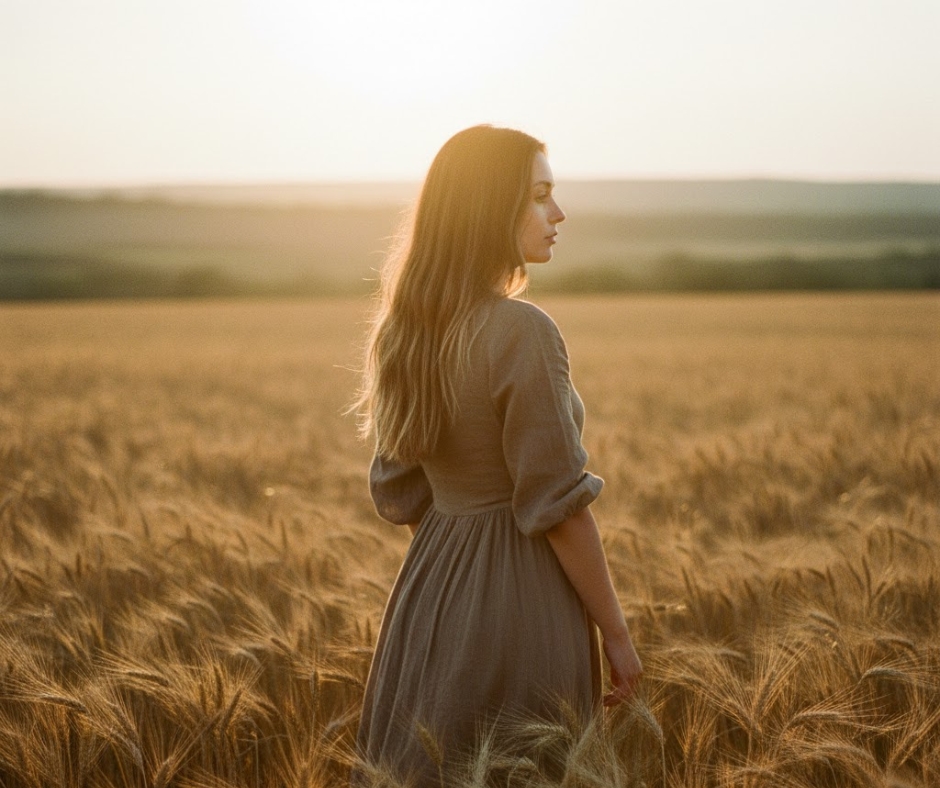
Prompt:
"Natural outdoor portrait of someone in their mid-20s, golden hour sunlight, warm backlit glow, standing in wheat field, candid looking away from camera, photorealistic, shot on film camera"
Why it works:
Golden hour is photography magic. Backlit creates that dreamy glow around hair. "Looking away from camera" feels more natural than forced eye contact. "Shot on film" adds subtle grain.
Variables to change:
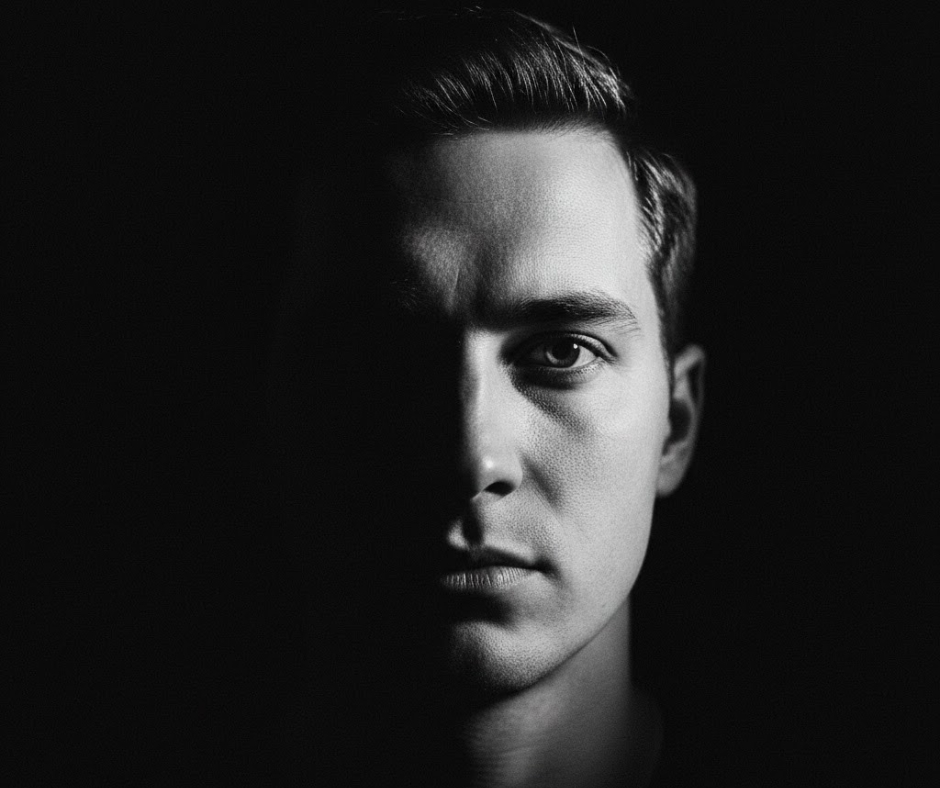
Prompt:
"Low-key dramatic portrait, person's face half in shadow half in light, dark background, single dramatic side light, high contrast black and white, professional studio lighting, captured with medium format camera"
Why it works:
Low-key = mostly dark with dramatic highlights. Half shadow creates mystery. Black and white removes color distractions. This is the moody headshot.
Variables to change:
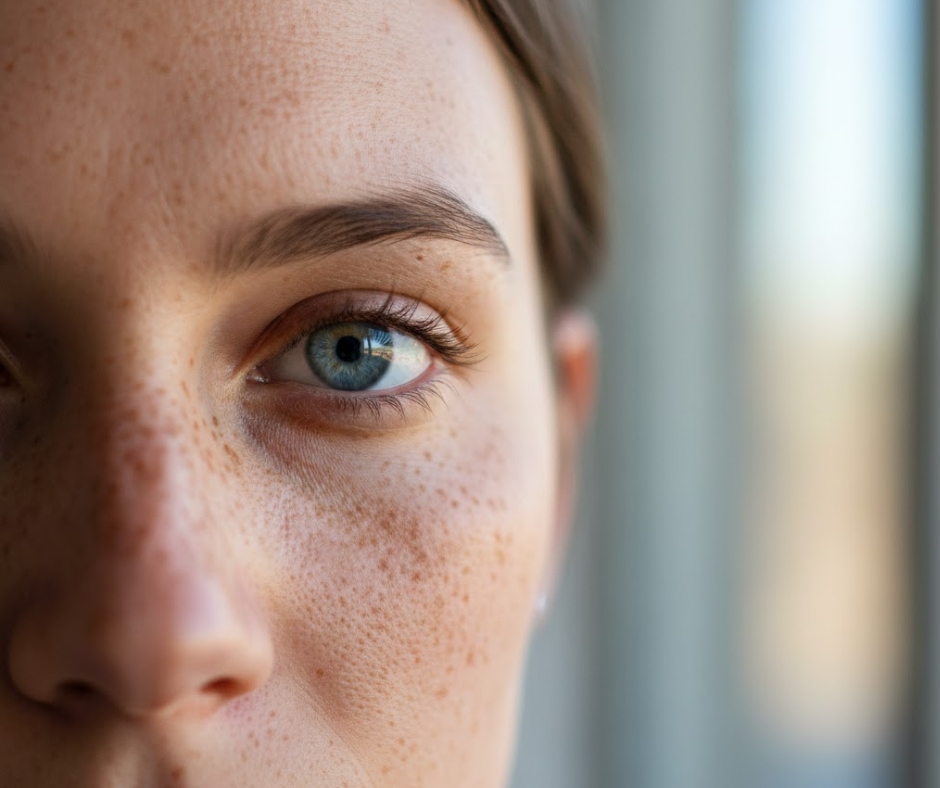
Prompt:
"Extreme close-up portrait of person's face, natural window lighting, freckles and skin texture visible, eyes in sharp focus, ultra-realistic skin details, shot with macro lens, soft bokeh background"
Why it works:
"Skin texture visible" and "freckles" make it look real. "Macro lens" creates that intimate close-up. Soft bokeh (blurry background) keeps focus on the eyes.
Variables to change:
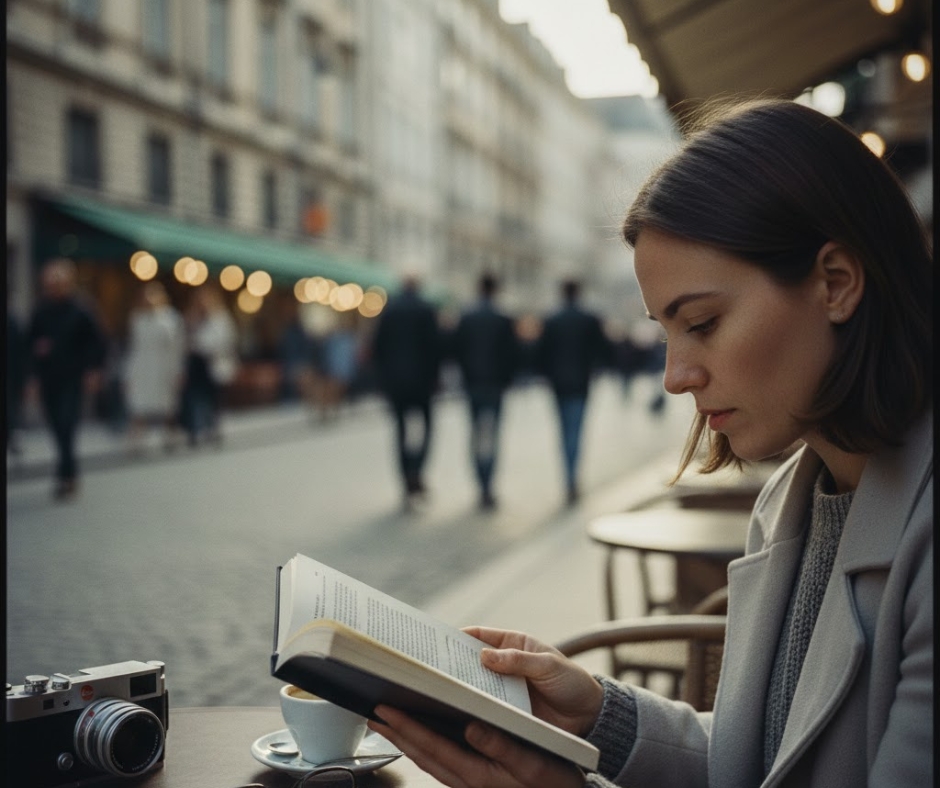
Prompt:
"Candid street portrait of person reading book at outdoor cafe, natural expression, European city background slightly blurred, afternoon natural light, documentary photography style, Leica camera aesthetic"
Why it works:
"Candid" + activity (reading) = natural pose. "Documentary style" avoids posed fakeness. "Leica aesthetic" triggers a specific look that's timeless.
Variables to change:
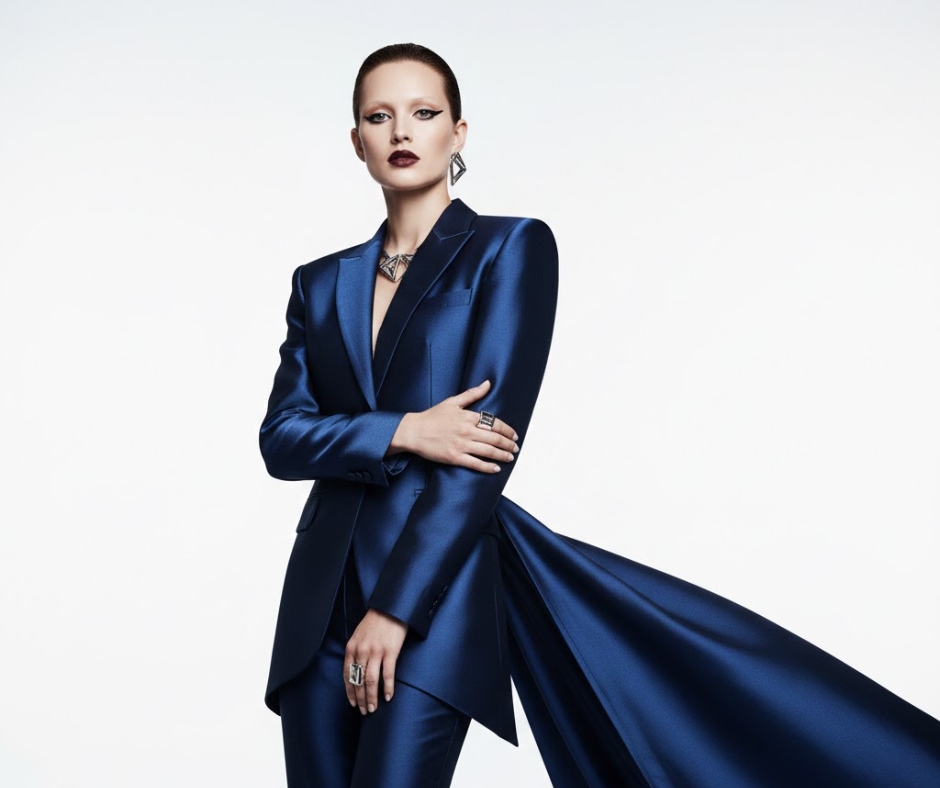
Prompt:
"High fashion editorial portrait, person in elegant clothing, minimalist white studio background, professional beauty lighting, flawless makeup, shot with Hasselblad camera, commercial photography"
Why it works:
"Beauty lighting" is a specific setup. "Hasselblad" = expensive medium format camera. "Flawless makeup" tells AI to polish everything. This is magazine quality.
Variables to change:
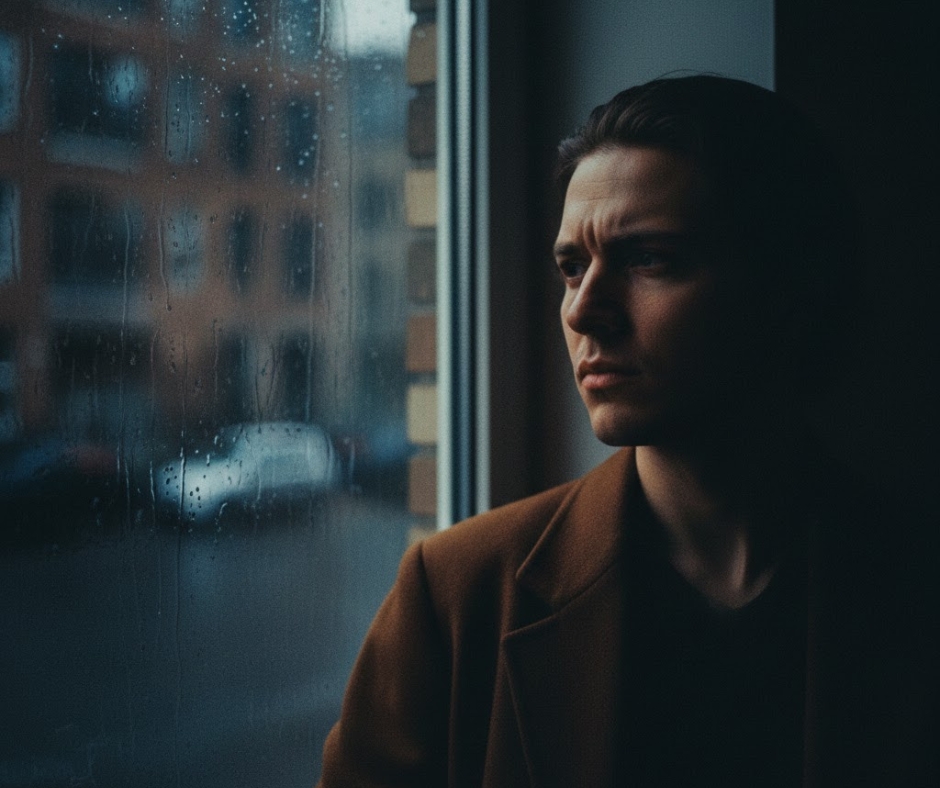
Prompt:
"Portrait of person sitting by window, side lighting creating dramatic shadows on face, rainy day outside, contemplative expression, dark moody atmosphere, shot with vintage film camera, grain texture"
Why it works:
Window light + rain = instant mood. Shadows create dimension. Film grain adds character. This is the artsy portrait.
Variables to change:
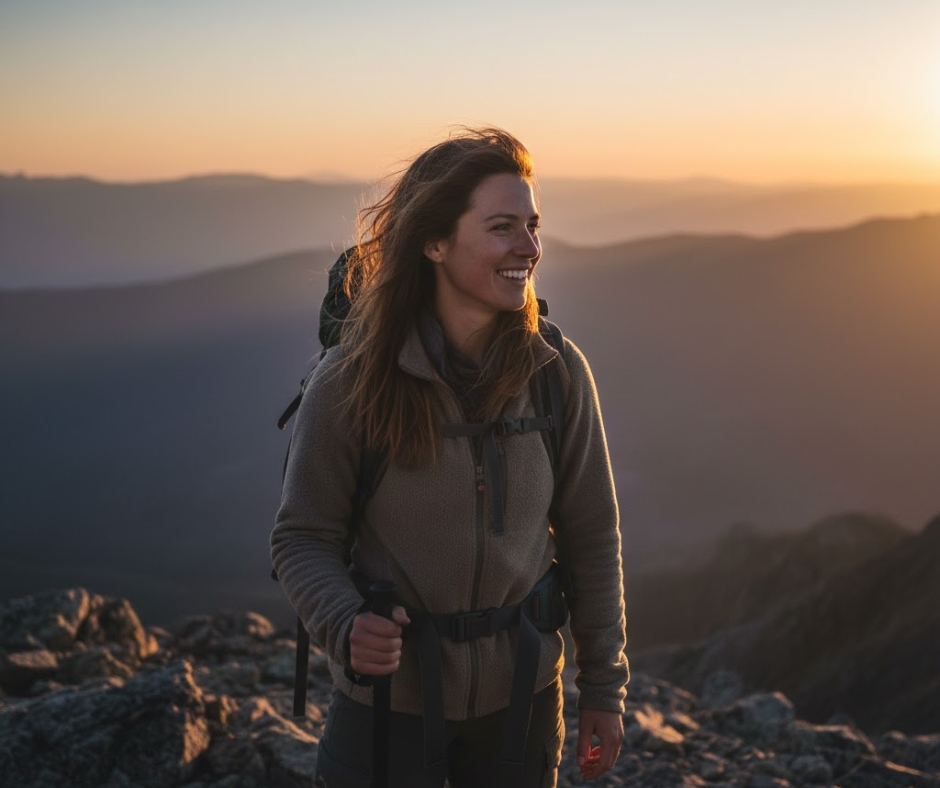
Prompt:
"Natural portrait of hiker at mountain summit, windblown hair, genuine smile, mountain landscape background out of focus, golden sunset light, authentic outdoor photography, shot with professional wildlife camera"
Why it works:
"Windblown" adds realism. Real setting (mountain) gives context. "Authentic outdoor photography" avoids studio fakeness. This is the active lifestyle shot.
Variables to change:
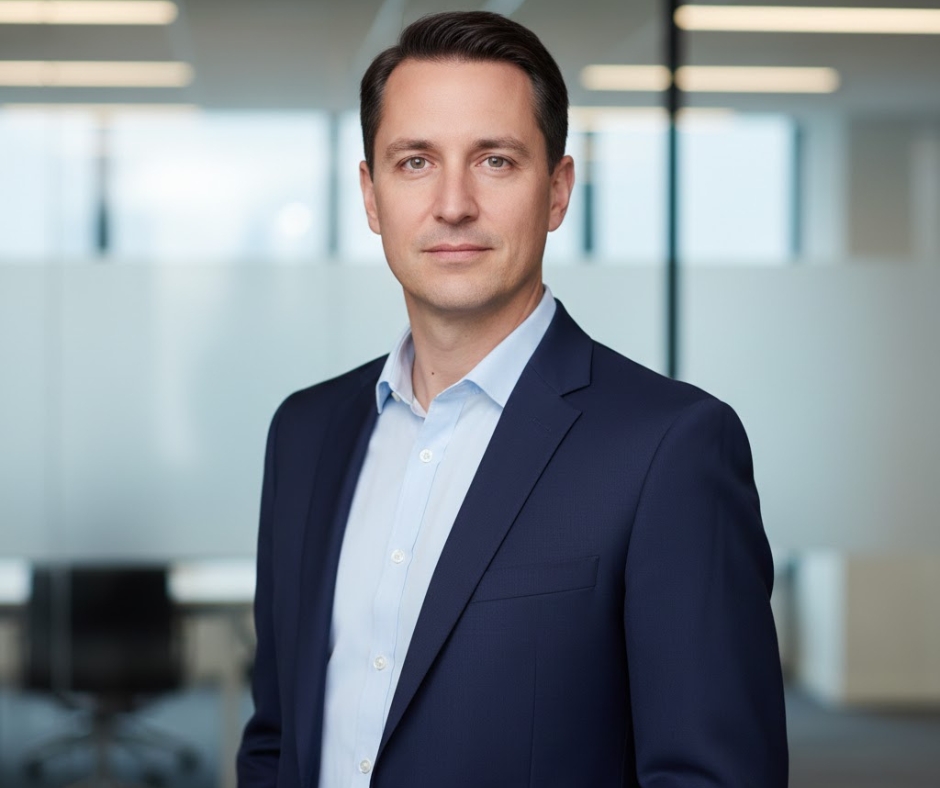
Prompt:
"Corporate professional portrait, person in business attire, confident posture, modern office background softly blurred, even studio lighting, neutral professional expression, executive headshot style, sharp focus on eyes"
Why it works:
"Executive headshot style" is a specific look. Even lighting = no dramatic shadows. Blurred office gives context without distraction. LinkedIn profile energy.
Variables to change:
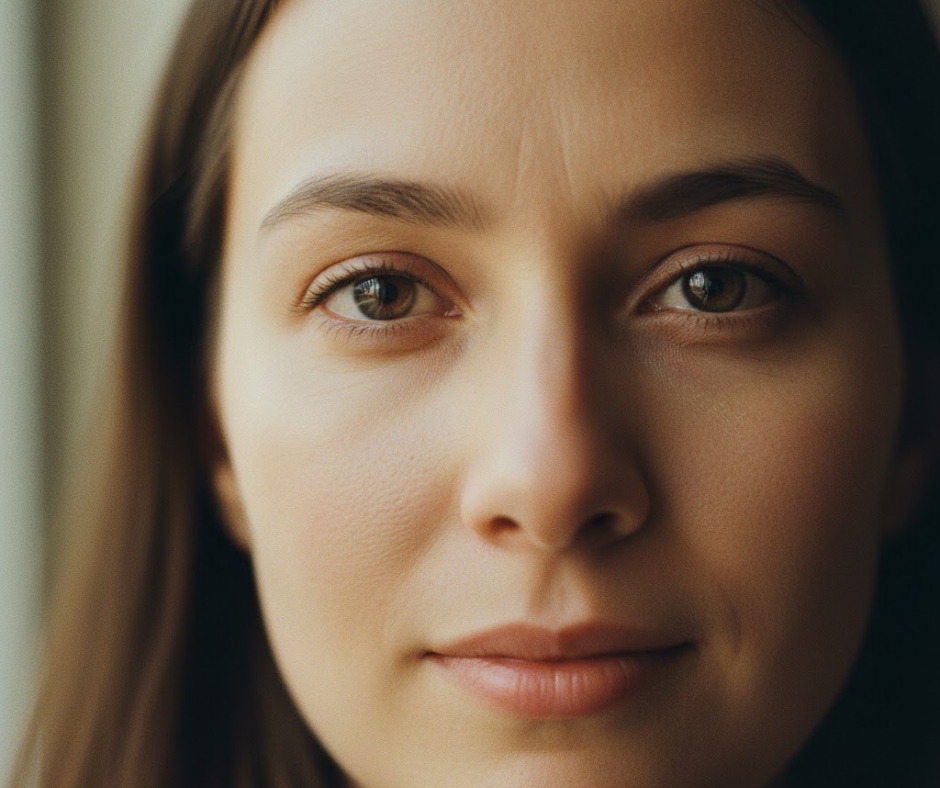
Prompt:
"Intimate portrait photograph, person's face filling frame, genuine emotion in eyes, soft natural window light, slight catchlight in eyes, photorealistic skin texture, shot with portrait prime lens, warm color grading"
Why it works:
"Catchlight in eyes" = that little reflection that makes eyes sparkle. Warm color grading feels inviting. Face filling frame = emotional impact.
Variables to change:
Every single portrait prompt has these elements:
Camera/lens mention - "85mm", "Leica", "Hasselblad". This triggers professional quality.
Lighting description - Window light, golden hour, studio. Light defines the mood.
Background treatment - Blurred, specific location, plain. Keep focus on the face.
Realistic details - Skin texture, freckles, catchlights. These sell the realism.
Style reference - Documentary, editorial, film. This sets the overall aesthetic.
The biggest mistakes I see:
Too many adjectives - "Beautiful gorgeous stunning attractive perfect" - AI gets confused. Pick specific features instead.
Generic lighting - "Good lighting" means nothing. Say WHERE the light comes from.
Ignoring eyes - Eyes make or break portraits. Always mention them specifically.
Overcomplicating - You don't need a paragraph. 2-3 sentences work better.
Not specifying background - If you don't mention it, AI will give you randomness.
Skin texture - Real people have pores and texture. If your AI portrait looks too smooth, add "realistic skin texture" or "visible skin detail".
Catchlights - That tiny reflection in the eyes. Mentioned or not, it makes eyes look alive.
Depth of field - "Shallow depth of field" or "blurred background" keeps focus on the face.
Camera gear - 85mm, 105mm, 50mm - these create different looks. 85mm is the portrait standard.
Film vs digital - "Shot on film" adds grain and character. "Digital camera" is cleaner and sharper.
These aren't just for fun. Here's what people actually use AI portraits for:
Let's be real for a second. If you're using these for fake profiles or catfishing or impersonating real people - don't. That's trash behavior.
These prompts are for creative work, not deception.
Always disclose when using AI-generated faces in professional or commercial work. Some platforms require it.
Midjourney - Best overall for realistic portraits. The skin texture and lighting are unmatched.
DALL-E 3 - Good for specific ethnicities and ages. Sometimes struggle with hands.
Stable Diffusion - Maximum control but requires more tweaking. Best if you know what you're doing.
Pro tip: Midjourney's "--style raw" parameter makes portraits more realistic and less "AI-looking".
Don't just use these as-is. Steal pieces:
Take the "window lighting" from prompt 1. Add it to the "outdoor cafe" from prompt 5.
Grab "shot on film camera" from anywhere. It adds character everywhere.
Use "golden hour" timing with any outdoor portrait. Instant upgrade.
Hands look weird - Don't show hands or keep them out of focus.
Eyes look off - Add "eyes in sharp focus" and "natural eye shape".
Too perfect/plastic - Add "skin texture", "natural imperfections", "realistic details".
Wrong ethnicity - Be specific but respectful. "Person of [ethnicity]" works.
Age is wrong - Specify exact decade: "in their early 20s" not just "young".
Once you've got your portrait:
Need to turn your portraits into thumbnails or social content? Check out How to Make a YouTube Thumbnail That Gets Clicks.
Want to know what makes some AI portraits look "off" and others look perfect?
It's not the prompt length. It's not using fancy words.
It's understanding what makes real photographs work:
When you mention these in your prompts, AI understands you want reality, not fantasy.
Your first 10 portraits will probably look weird. That's fine.
Make them anyway. Note what works. Save the good prompts.
Try the same prompt 5 times with small changes. See which variable made the difference.
Build a document of prompts that work for you. This is your portrait library.
These 10 prompts are templates, not laws.
They work because they include the technical details that make photographs look professional.
But the best prompt is whatever creates the portrait you need.
Sometimes that's copying these exactly. Sometimes it's taking pieces from different prompts.
Sometimes it's throwing these out and starting fresh based on what you learned.
The goal isn't to follow my prompts forever. It's to understand why they work, so you can write better ones.
Now go make some faces that don't exist but look like they should.
More Tools:
More Articles: